
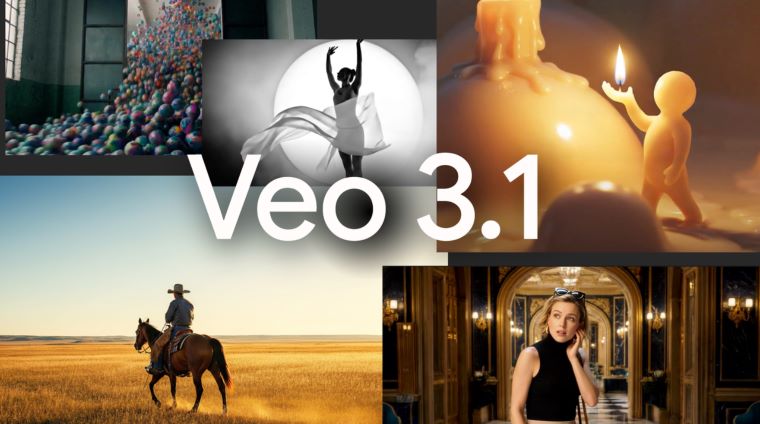
Google VEO 3.1 Update Lets You Create Better Vertical Videos Using AI
Google has released a major update to its video-generation tool VEO, version 3.1, introducing several powerful enhancements that make it easier for users to create high-quality vertical videos using simple inputs like reference images and prompts. The update reflects Google’s broader push to bring advanced AI capabilities into everyday creative workflows, especially as short-form video continues to dominate online platforms.
What Is VEO and What’s New in Version 3.1?
VEO is an AI-powered video creation tool developed by Google that allows users to generate custom videos from textual descriptions and other inputs. With VEO 3.1, the system gains several notable improvements:
1. Vertical Video Creation from Reference Images
One of the standout upgrades is the ability to use reference images as the basis for video generation. Creators can supply a vertical photo — for example, a portrait or product image — and VEO will build a smooth video around that visual style and composition. This feature is especially valuable for users producing content for platforms like Instagram Reels, YouTube Shorts and TikTok, where vertical video is the dominant format.
2. Better Quality at Higher Resolutions
VEO 3.1 improves output quality significantly. Users can generate videos in 1080p and 4K resolution, ensuring that AI-created clips look crisp and professional on modern displays. This is a big leap from earlier generations that were more limited in resolution and detail.
3. Integration With Gemini APIs
The update taps into Google’s advanced Gemini API, allowing VEO to better understand visual cues from reference inputs, maintain stylistic consistency, and produce more coherent sequences. The Gemini integration also strengthens the system’s overall grasp of prompt context, helping translate creative ideas into polished video output.
How It Works — A Simple Walkthrough
Creating a video with VEO 3.1 follows a few intuitive steps:
- Upload or Select a Reference Image
Start by uploading a vertical image that represents the visual style or subject you want in your video. - Enter a Text Prompt
Describe the action, mood or narrative you want VEO to generate. For example: “Create a 15-second vertical clip of a city skyline transforming from day to night, with gentle ambient music.” - Choose Resolution and Format
Decide whether you want 1080p or 4K output and confirm that you are aiming for vertical orientation (9:16) — ideal for social media platforms. - Generate and Review
VEO processes the inputs and produces a video clip that aligns with your prompt and reference image. You can then preview, refine or fine-tune as needed.
Why This Update Matters
The 3.1 release positions VEO as a more practical tool for everyday creators, not just early adopters or tech specialists. Here’s why it’s significant:
Optimised for Short-Form Video
With vertical video support and high-resolution output, VEO 3.1 meets the needs of content creators who publish regularly on mobile-first platforms where engagement is driven by visuals that fill the screen.
Lowering the Creative Barrier
Generating high-quality video usually requires specialized software and technical skill. VEO democratizes this by letting users create compelling clips with just a prompt and a reference image — no editing suites or deep production experience required.
Enhanced Visual Consistency
By understanding the style and composition of a reference image, VEO can maintain that look throughout the video, helping creators build brand-aligned or thematic content more easily.
AI-Powered Context Understanding
Thanks to integration with the Gemini API, VEO is better at interpreting complex prompts and visual references, reducing the trial-and-error typically involved in AI video generation.
Potential Use Cases
The update unlocks several practical applications:
- Social Media Content Creation
Influencers, marketers and small businesses can quickly produce engaging vertical videos without a production team. - E-Commerce Promotions
Sellers can turn product images into dynamic showcase videos to boost conversions. - Personal Projects & Stories
Users can generate animated narratives or travel highlights using their own images and prompts. - Brand and Marketing Assets
Teams can prototype video content for campaigns faster than ever before.
Looking Ahead
Google’s release of VEO 3.1 reflects broader trends in generative AI: enabling creators with tools that are intuitive, high-quality, and integrated with powerful language and vision models. As the landscape of digital video continues to evolve, tools like VEO make sophisticated content creation more accessible to a wider audience.
With future updates likely to expand editing controls, longer formats and even deeper AI understanding, VEO is well positioned to play a key role in how creators produce video content in the years ahead.