
Google’s September Android Drop Is Here: 5 New Features Coming to Pixel and Galaxy Phones
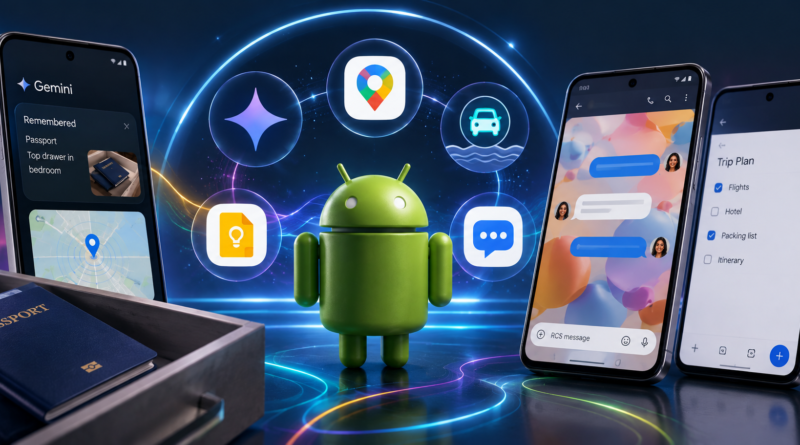
From Gemini remembering where you left your belongings to anti-motion-sickness tools and smarter Google Messages, Google’s September 2026 Android Drop brings several practical upgrades to Android users.
Google has started rolling out its September 2026 Android Drop, introducing five new features designed to make Android phones more useful in everyday situations.
The update puts a strong emphasis on artificial intelligence, accessibility, communication and personalization. While some features are tied to newer Android versions, others are reaching a much broader range of devices.
Here are the five biggest additions arriving with the latest Android feature drop.
1. Gemini Can Now Remember Where You Put Things
One of the most interesting additions connects Gemini with Google Find Hub.
Instead of attaching a tracker to an item, users can simply ask Gemini to remember where they placed something. For example, you could tell Gemini that your passport is inside a particular drawer and optionally add a photo.
The information is then stored in a new Remembered section inside Find Hub. Later, users can ask Gemini where they left the item or check the saved location themselves.
The feature could be particularly useful for objects that are easy to misplace but don’t normally carry tracking tags, such as passports, spare keys, chargers or important documents.
Google says the feature is rolling out to devices running Android 16 and newer, where Gemini and Find Hub are supported.
2. Motion Assist Could Make Phone Use More Comfortable in Cars
Using a phone while travelling can cause motion sickness for some people. Google’s new Motion Assist is designed to address that problem.
The feature places animated bubbles over the phone’s display. The bubbles move in response to the vehicle’s movement, giving the eyes another visual signal that corresponds with the motion the body is experiencing.
Google says Motion Assist is intended to reduce the mismatch between what the eyes see on the screen and what the body feels while travelling.
Users can also configure the feature to activate automatically, add it to Quick Settings and adjust aspects such as the bubbles’ appearance and opacity.
For now, Motion Assist is an Android 17 feature, making it one of the more version-specific additions in this Android Drop.
3. Gemini Live Gets Guided Vision
Google is also expanding the visual capabilities of Gemini Live with a feature called Guided Vision.
The feature allows users to share their phone’s camera feed with Gemini Live and receive spoken descriptions of what the camera sees.
That could prove useful in everyday situations. Users could point the camera at a food label, restaurant menu or household object and ask Gemini to help identify or understand what is in front of them.
Guided Vision can also provide voice guidance when the camera isn’t positioned correctly, helping users reframe the shot, move the camera or center an object.
The feature could have particular value for accessibility, while also making Gemini Live more useful as a real-time visual assistant.
4. Google Keep Comes Directly to Google Messages
Planning something with friends or family often means switching between a messaging app and a notes application.
Google is trying to eliminate that extra step by bringing Google Keep into Google Messages.
Users can tap the + button in a conversation to create or share a Keep note. Participants can then contribute to shared lists and update them together.
For example, a group planning a vacation could maintain a shared packing list or itinerary directly from a chat. A family could use the same feature for a grocery list.
The idea is simple: instead of sending multiple messages with constantly changing lists, everyone can work from the same collaborative note.
Google says the rollout for the Messages integration starts with the September Android Drop.
5. Google Messages Finally Gets Custom Chat Themes
Google is also giving users more control over how their conversations look.
The new Chat Themes feature allows users to customize individual conversations with wallpapers and visual themes. Options include themes inspired by categories such as animals, landscapes and space, while users can also use their own photos in supported customization options.
The chat’s bubble colors can change along with the selected theme, giving conversations a more personalized appearance.
Importantly, the customization is primarily a user-side experience, meaning other participants don’t necessarily see the same theme on their own devices.
Not Every Feature Requires the Latest Phone
One of the more notable aspects of Google’s September Android Drop is that the five features don’t all have identical hardware or software requirements.
The Gemini-powered Remembered Items feature requires Android 16 or newer in supported markets, while Motion Assist is tied to Android 17. Guided Vision and other updates have broader compatibility depending on the device and service availability.
That means owning a Pixel or a flagship Galaxy phone isn’t necessarily the only requirement. Actual availability will depend on the Android version, device compatibility and whether Google’s relevant services are supported in the user’s region.
Why This Android Update Matters
The September Android Drop isn’t simply about adding flashy new features.
Several of the changes focus on removing small frustrations from everyday smartphone use.
Find Hub and Gemini address the problem of remembering where physical objects were placed. Motion Assist targets discomfort while travelling. Guided Vision makes camera-based AI more useful and accessible. Meanwhile, Google Keep inside Messages makes group planning easier, and Chat Themes adds another layer of personalization.
Together, the features show Google’s broader direction for Android: making AI part of ordinary tasks rather than keeping it limited to standalone chatbot conversations.
What Android Users Can Expect
Google has begun rolling out the September 2026 Android Drop, but availability may vary by device and region.
If your phone is eligible, some features may arrive through Android system updates, while others can appear through updates to Google apps and services.
For Pixel and compatible Galaxy users, the most useful additions may ultimately depend on how they use their phones. Someone who frequently misplaces important items may find Gemini’s Find Hub integration more valuable than Chat Themes, while frequent travellers may appreciate Motion Assist.
Either way, Google’s latest update makes one thing clear: Android’s next wave of improvements is increasingly focused on AI-powered convenience, accessibility and everyday usability, rather than simply adding new visual effects.